A simple command-line application to run a Pomodoro timer with an animated progress bar using the Bubble Tea framework.
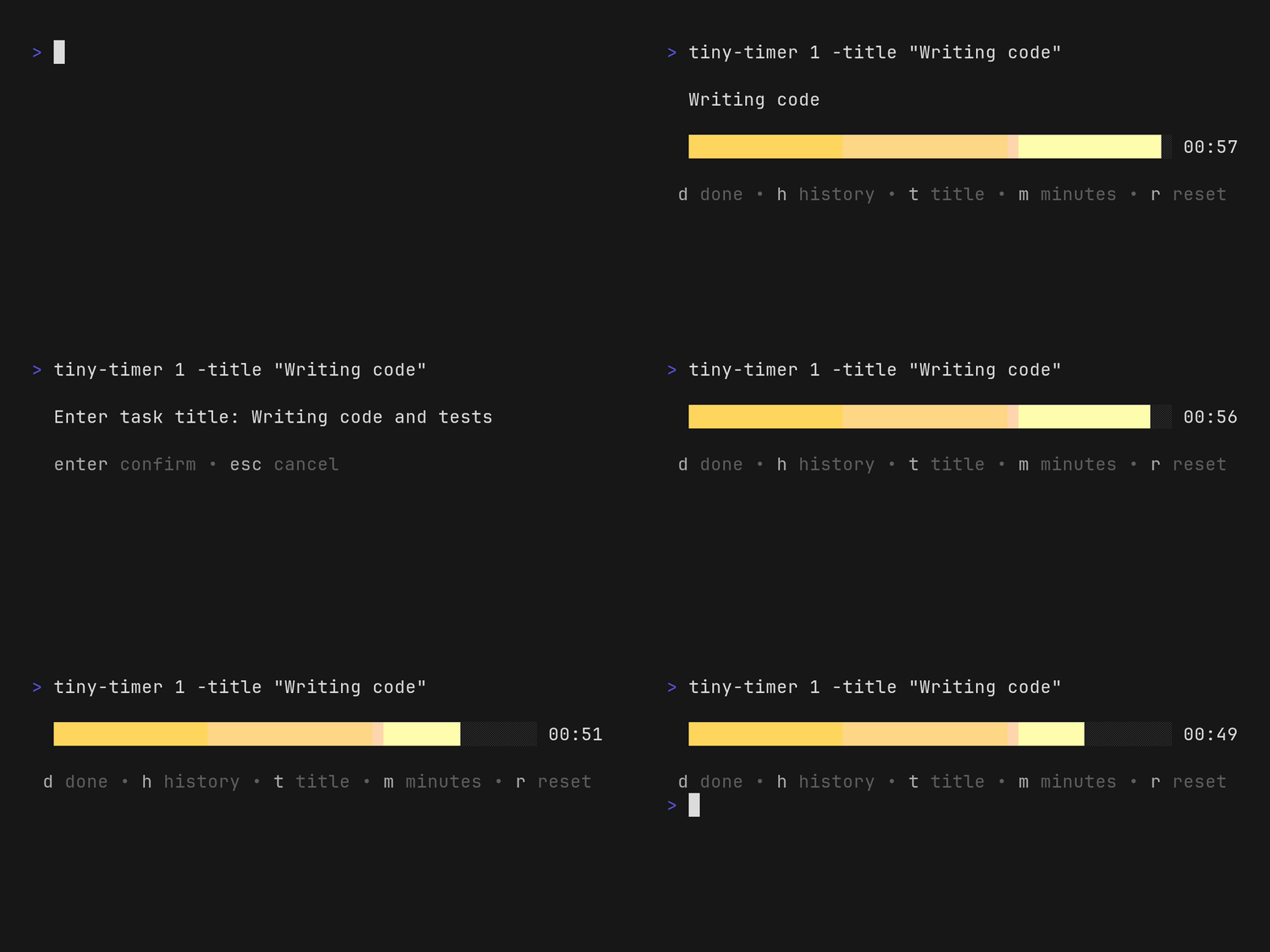
- Animated progress bar
- Countdown timer (defaults to
25minutes) - Customizable timer duration
- Can be sent to background with standard
Ctrl-z - Logs completed tasks to local SQLite DB
Install from the topfunky tap:
brew install topfunky/tap/tiny-timer- Clone the repository:
git clone https://github.com/topfunky/tiny-timer.git
cd tiny-timer- Build and install the application to your
GOPATH/bin:
make installRun the application with the default duration (25 minutes):
tiny-timerOr specify a custom duration in minutes:
tiny-timer 5The following command-line flags are available:
-
[minutes]- Optional duration in minutes for the timer. If not specified, defaults to 25 minutes. Can be placed before or after flags.tiny-timer 5 tiny-timer -count-up 10
-
-title <string>- Set an optional title for the timer session. Useful for labeling your work sessions.tiny-timer -title "Writing documentation" tiny-timer 30 -title "Code review"
-
-count-up- Enable count-up mode instead of countdown. In this mode, the timer tracks elapsed time and allows you to log tasks to the SQLite database. Default duration is 1 hour (for progress bar scaling).tiny-timer -count-up tiny-timer -count-up -title "Project planning" -
-clean- Delete the SQLite database (stored at~/.config/tiny-timer/tiny-timer.db) and exit. Useful for resetting your session history.tiny-timer -clean
-
-debug- Enable debug logging todebug.logfile in the current directory. All log output will be written to this file for troubleshooting.tiny-timer -debug
To test the release process without creating an actual release, use the make target:
make release-dry-runOr run GoReleaser directly:
goreleaser release --snapshot --skip-publish --cleanThis will:
- Build binaries for all configured platforms (Linux, macOS, Windows)
- Create archives and checksums
- Generate the Homebrew formula
- Skip publishing to GitHub
- Clean up previous build artifacts
For a full dry-run that also validates publishing (without actually publishing):
goreleaser release --snapshot --skip-publishCreate a release at GitHub:
gh release create v1.2.3 --title "v1.2.3" --notes "this is a public release"Or use the short version, with interactive prompts.
gh release create v4.5.6docker run --rm -v ($env.PWD):/vhs ghcr.io/charmbracelet/vhs vhs/basic.tapeThis project is licensed under the MIT License. See LICENSE for details.
It includes sample code from the Bubbles project.
Pomodoro is a trademark of Francesco Cirillo. The Pomodoro Technique is a time management method developed by Cirillo in the late 1980s.